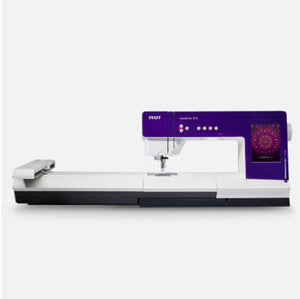
Update your PFAFF® creative vision™ sewing and embroidery machine.
We strongly recommend you to always update your creative vision™ sewing and embroidery machine with the latest software version.
PFAFF® creative vision™ update version 18713-5548 (2010-08-03):
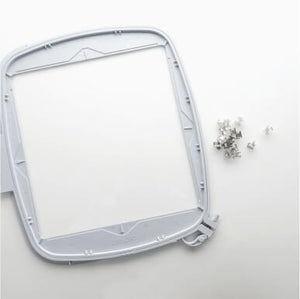
- Support for new 200x200 hoop
- Support for new cutwork needles
- 4 new stitches
6.2.14 - 17 Stitches for Join and Fold foot launched at Get Creative earlier this year.
- New functions in service mode
All features from the previous versions are of course also included in this update. See below:
PFAFF® creative vision™ update version 17826_5548 (2010-01-28):
The new update (17826_5548) includes improvements on pivot height precision and cut function together with some other adjustments. There are no major changes to the machine features.
Read about the features from version 17125_5413 (pdf) >>
PFAFF® creative vision™ update version 18713-5548 (2010-08-03):
- Support for new 200x200 hoop
- Support for new cutwork needles
- 4 new stitches
6.2.14 - 17 Stitches for Join and Fold foot launched at Get Creative earlier this year.
- New functions in service mode
All features from the previous versions are of course also included in this update. See below:
PFAFF® creative vision™ update version 17826_5548 (2010-01-28):
The new update (17826_5548) includes improvements on pivot height precision and cut function together with some other adjustments. There are no major changes to the machine features.
Read about the features from version 17125_5413 (pdf) >>
Thank you for your feedback and ideas! Please continue to give us your suggestions; they are very helpful to make the best sewing and embroidery machine in the world.
How to update with USB cable
- Click on the link below to download the update file. You need a file compression utility to open the file (WinZip or similar).
- Click on the .exe file to start the Update Wizard. You may get Security Warnings. Click Run to continue.
- The creative vision™ Update Wizard will start. Follow the instructions on screen.
- When the update is complete your creative vision™ will automatically restart. Estimated time for the update is 8 minutes.
How to update your sewing and embroidery machine with USB embroidery stick
(requires version 17125_5413 or later in the machine)
- Click on the linked zip-file below to download the update file. You need a file compression utility to open the file (WinZip or similar).
- Click on the .exe file to start the Update Wizard. You may get Security Warnings. Click Run to continue.
- The machine Update Wizard will start. Follow the instructions on screen and be sure to select "USB embroidery stick" as the update method.
- When the USB embroidery stick is prepared the Update Wizard will tell you to move it to your machine, start the update and follow the instructions on the Interactive Screen.
- When the update is complete your machine will automatically restart. Estimated time for the update is 13 minutes.
Latest update version 18713-5548 as a zip-file (2010-08-03) >>